
Build your own AI agent, free
No call. Sign up, build your agent, and try it yourself before you choose a plan.
Already have an account? Sign in
What you'll need
- Any AI assistant that can browse the web, ChatGPT or Claude both work. Claude is what we use.
- Your website address, or whatever you already have written about your products and prices.
- A phone that can receive a WhatsApp message, for the verification code.
- On your computer
Let ChatGPT or Claude write your business info
Open ChatGPT or Claude, copy the prompt below, and paste it in. Before you send it, replace the five bracketed fields at the top with your own details, that top section is the only part you edit. Set “Output language” to the language your customers write in. Copy the whole reply; you'll need it in the next step.
The prompt, copy it as it is EDIT ONLY THIS SECTION * Business name: [BUSINESS NAME] * Website: [WEBSITE URL] * Additional sources: [FILES, LINKS, DOCUMENTS, OR "NONE"] * Confirmed business facts or corrections: [INFORMATION, OR "NONE"] * Output language: [LANGUAGE] Research the business using the sources above and produce a clean, factual knowledge base ready to upload to a customer-facing AI agent. Include Only established business information relevant to customer questions: * Business overview, customers served, and locations. * Products/services, features, specifications, and confirmed limitations. * Prices, billing units, fees, offers, and payment options. * How to purchase, book, register, or use the service. * Delivery, setup, and ongoing support. * Approved cancellation, refund, warranty, and other policies. * Actual contact details and operating hours. * Useful FAQs whose answers are fully supported. Exclude * Unknown, uncertain, conflicting, outdated, or inaccessible information. * Draft policies, unfinished fields, and placeholders. * Demo data, sample prices, and unverified performance claims. * Research commentary such as "not specified," "could not verify," "the website claims," or "requires confirmation." * Lists of missing information, recommendations, agent instructions, and test cases. Writing rules * Research thoroughly, but output only the usable knowledge. * State supported facts directly, without turning marketing claims into guarantees. * Prefer explicit confirmed corrections above over older source information. * If a claim remains contradictory or ambiguous, omit that claim. * Keep independently confirmed facts even when related details are missing. For example, include a confirmed welcome-credit amount without inventing its monetary value or discussing the missing conversion. * Describe configurable features as configurable. Do not treat example settings as universal rules. * Preserve confirmed conditions, exceptions, charges, and restrictions. * Missing information does not mean a feature is unavailable or a policy prohibits something. * Use clear headings and short, self-contained statements. Consolidate repetition. * Omit empty sections and FAQs that cannot be answered reliably. * Check every statement against the supplied facts or inspected sources before including it. Output Return only the completed knowledge base, with no introduction, research report, gap list, or conclusion. If no usable facts can be established, briefly explain the access limitation and request source material instead of fabricating a knowledge base.
- On your computer
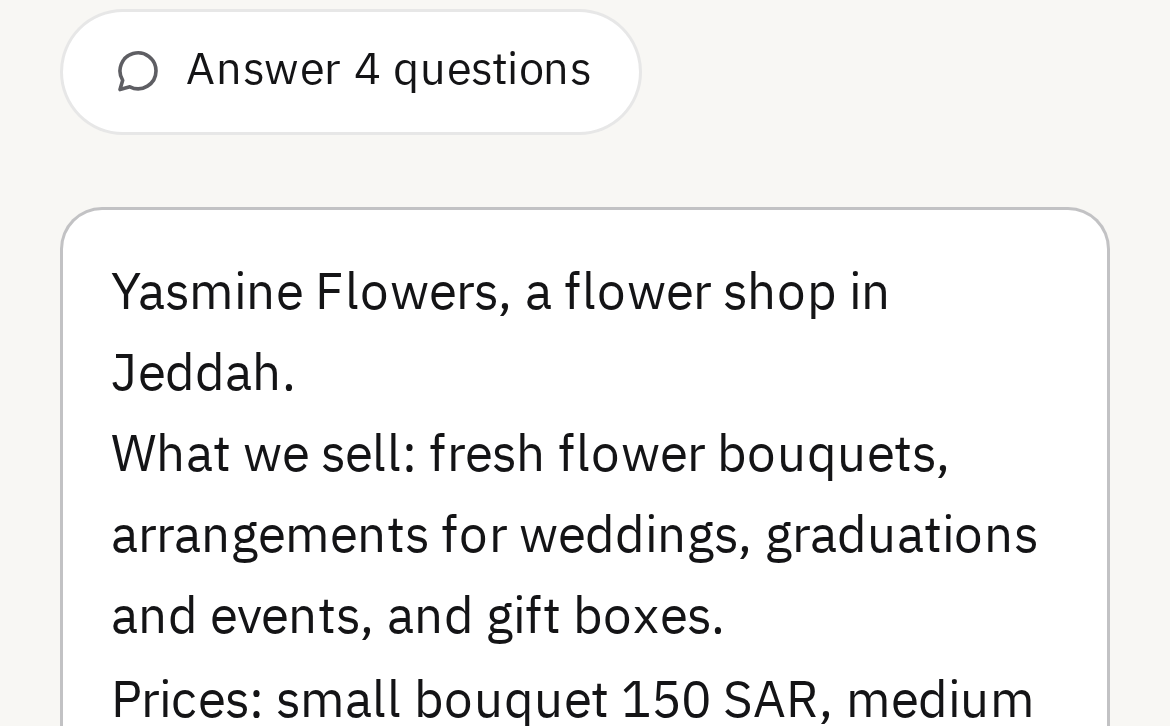
Paste it and build
Open the build page, tap “No website? Other sources”, choose “Describe your business”, paste the whole reply and tap “Build my agent”.
- On your computer
Try it, and teach it what it didn't know
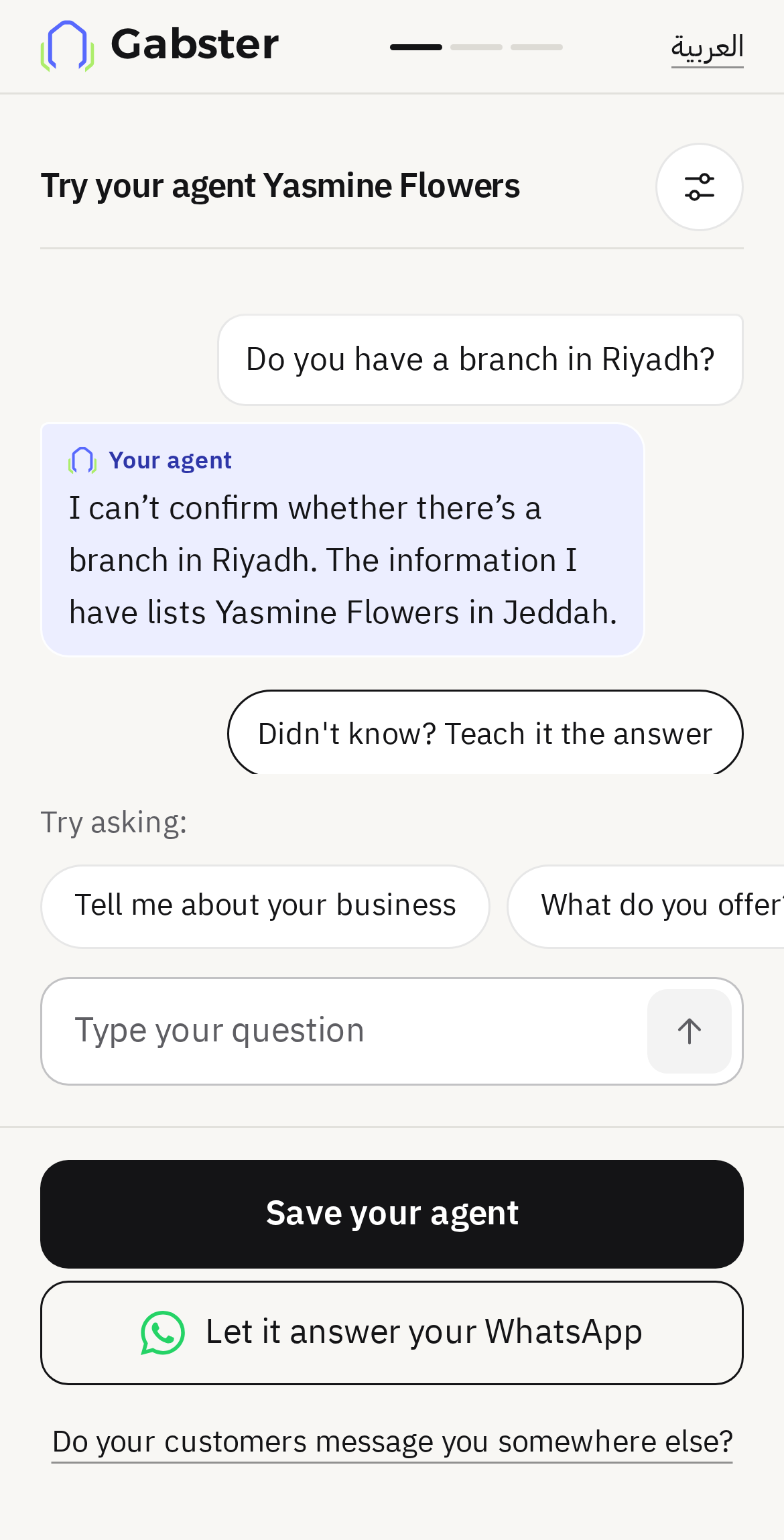
Ask it what your customers ask: prices, hours, delivery. If it says it doesn't know, tap “Didn't know? Teach it the answer” and write the answer the way you'd tell your customer. It learns it right away.
- On your phone
Save your agent
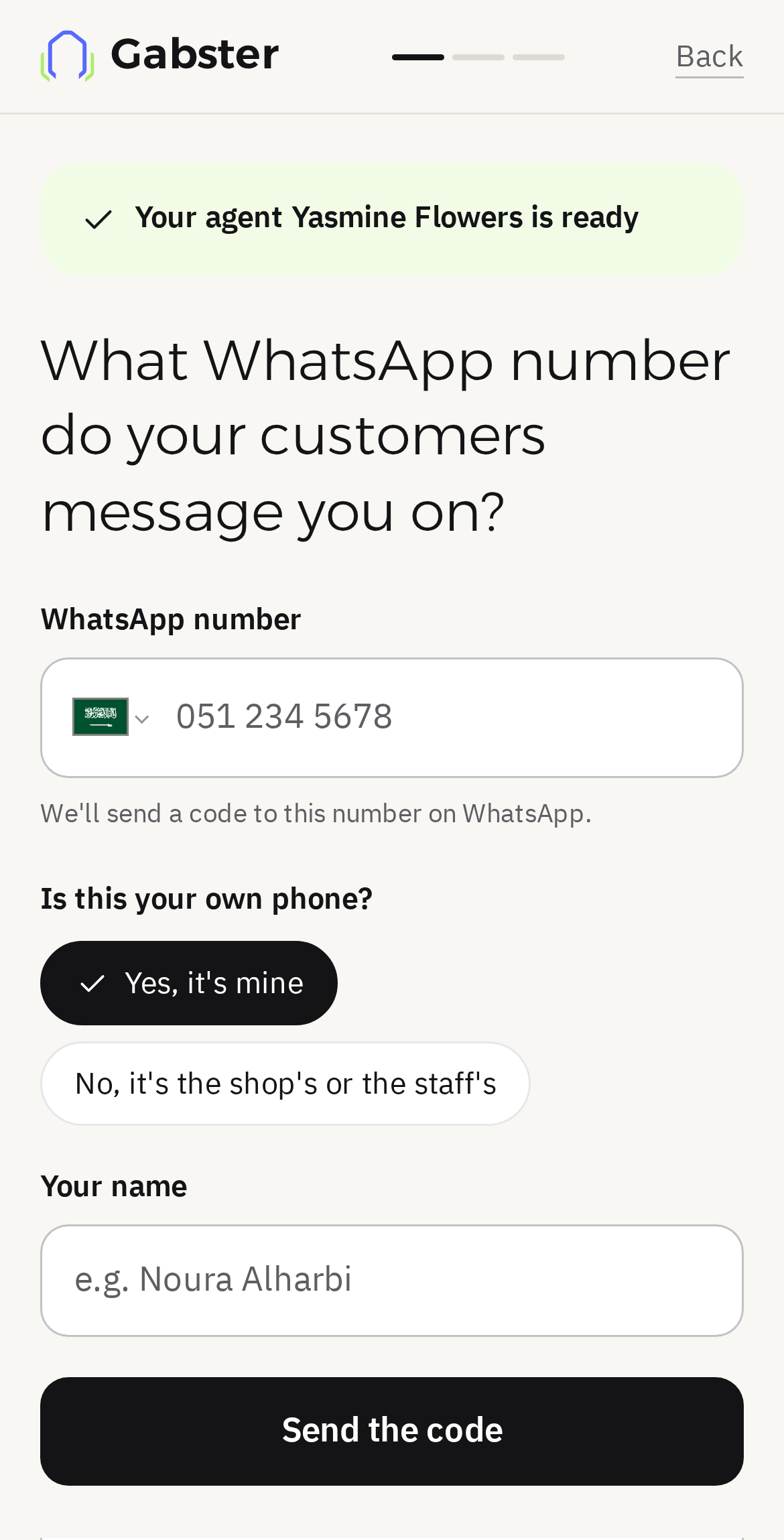
Tap “Save your agent”, enter the WhatsApp number your customers message you on, your name and your email, then “Send the code”. A 6-digit code arrives on WhatsApp and confirms itself. Didn't get it? Tap “Didn't get it? Send it to my email”.
- On your computer
Pick how to start
Start a 7-day trial on Start, and your agent answers your customers on WhatsApp. You add your card, and nothing is charged if you cancel before the trial ends. Or stay on Free, with one agent on your website chat only. Tap “Continue on Free (website chat)”.
- On your phone
Connect your channel
WhatsApp (on the trial or any plan): follow the WhatsApp step on your screen. Every screen of it is in the WhatsApp guide, step by step, and you can keep using the WhatsApp Business app on your phone.
- On your computer
Your agent is live
Open your dashboard at app.gabster.ai: your agent's knowledge is under AI Agent SetupKnowledge Base, its channels under Channels, and your customers' chats under Customer Chat.
Ready to build yours?
Sign up, build your agent, and try it yourself before you choose a plan.
Build your agent nowAlready have an account? Sign in
Next guide: Set up Gabster website chat on your siteNeed a hand? Talk to our team