
ابنِ وكيلك الذكي بنفسك، مجانًا
بدون مكالمة. سجّل وابنِ وكيلك، وجرّبه بنفسك قبل ما تختار باقتك.
عندك حساب؟ ادخل
اللي تحتاجه قبل ما تبدأ
- أي مساعد ذكي يقدر يتصفح الإنترنت، ChatGPT أو Claude، والاثنين يضبطون. إحنا نستخدم Claude.
- رابط موقعك، أو أي شي مكتوب عندك عن منتجاتك وأسعارك.
- جوال يستقبل رسالة واتساب، عشان رمز التحقق.
- على جهازك
خلّ ChatGPT أو Claude يكتب معلومات نشاطك
افتح ChatGPT أو Claude، وانسخ البرومبت اللي تحت والصقه عندهم. قبل ما ترسله، بدّل الخمس خانات اللي بين الأقواس فوق ببياناتك، هذا الجزء بس اللي تعدّله. وحط في «Output language» اللغة اللي يكتب فيها عملاؤك. انسخ الرد كامل، بنحتاجه في الخطوة الجاية.
البرومبت: انسخه كما هو EDIT ONLY THIS SECTION * Business name: [BUSINESS NAME] * Website: [WEBSITE URL] * Additional sources: [FILES, LINKS, DOCUMENTS, OR "NONE"] * Confirmed business facts or corrections: [INFORMATION, OR "NONE"] * Output language: [LANGUAGE] Research the business using the sources above and produce a clean, factual knowledge base ready to upload to a customer-facing AI agent. Include Only established business information relevant to customer questions: * Business overview, customers served, and locations. * Products/services, features, specifications, and confirmed limitations. * Prices, billing units, fees, offers, and payment options. * How to purchase, book, register, or use the service. * Delivery, setup, and ongoing support. * Approved cancellation, refund, warranty, and other policies. * Actual contact details and operating hours. * Useful FAQs whose answers are fully supported. Exclude * Unknown, uncertain, conflicting, outdated, or inaccessible information. * Draft policies, unfinished fields, and placeholders. * Demo data, sample prices, and unverified performance claims. * Research commentary such as "not specified," "could not verify," "the website claims," or "requires confirmation." * Lists of missing information, recommendations, agent instructions, and test cases. Writing rules * Research thoroughly, but output only the usable knowledge. * State supported facts directly, without turning marketing claims into guarantees. * Prefer explicit confirmed corrections above over older source information. * If a claim remains contradictory or ambiguous, omit that claim. * Keep independently confirmed facts even when related details are missing. For example, include a confirmed welcome-credit amount without inventing its monetary value or discussing the missing conversion. * Describe configurable features as configurable. Do not treat example settings as universal rules. * Preserve confirmed conditions, exceptions, charges, and restrictions. * Missing information does not mean a feature is unavailable or a policy prohibits something. * Use clear headings and short, self-contained statements. Consolidate repetition. * Omit empty sections and FAQs that cannot be answered reliably. * Check every statement against the supplied facts or inspected sources before including it. Output Return only the completed knowledge base, with no introduction, research report, gap list, or conclusion. If no usable facts can be established, briefly explain the access limitation and request source material instead of fabricating a knowledge base.
- على جهازك
الصقه وابنِ وكيلك
افتح صفحة البناء، اضغط «ما عندي موقع؟ مصادر ثانية»، اختر «اكتب عن نشاطك»، الصق الرد كامل، واضغط «ابنِ وكيلي».
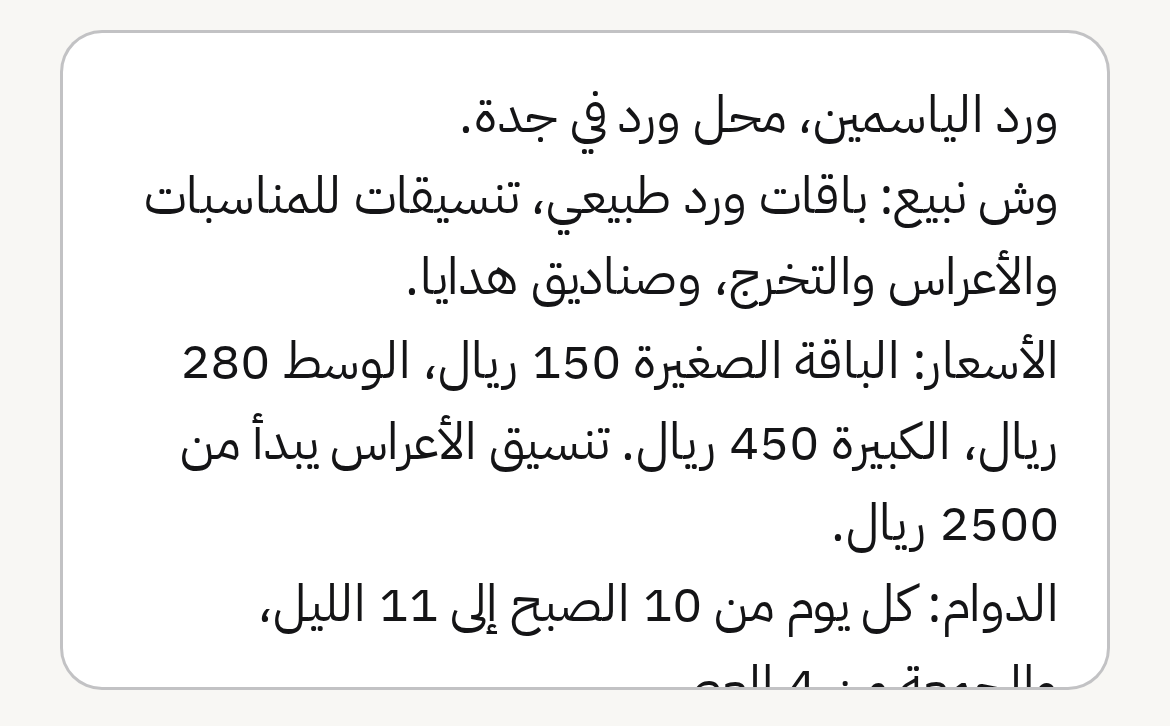
- على جهازك
جرّبه، وعلّمه اللي ما عرفه
اسأله نفس الأسئلة اللي يسألها عملاؤك: الأسعار، الدوام، التوصيل. وإذا قال إنه ما يعرف، اضغط «ما عرف؟ علّمه الجواب» واكتب الجواب مثل ما تقوله لعميلك. يتعلّمه على طول.
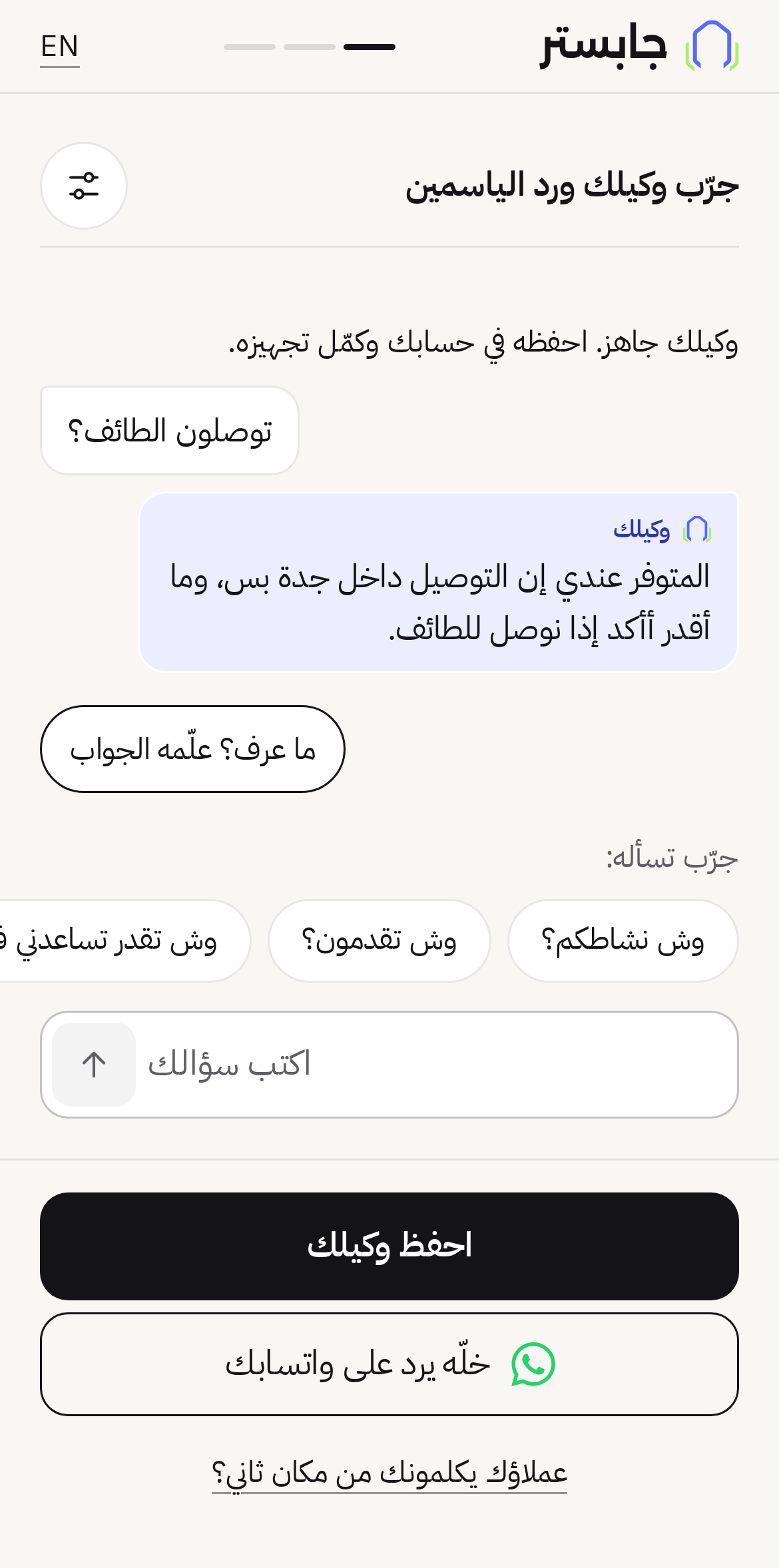
- على هاتفك
احفظ وكيلك
اضغط «احفظ وكيلك»، واكتب رقم الواتساب اللي يراسلك عليه عملاؤك واسمك وإيميلك، ثم «أرسل الرمز». يوصلك رمز من 6 أرقام على الواتساب ويتأكد لحاله. ما وصلك؟ اضغط «ما وصلك؟ أرسله على إيميلي».
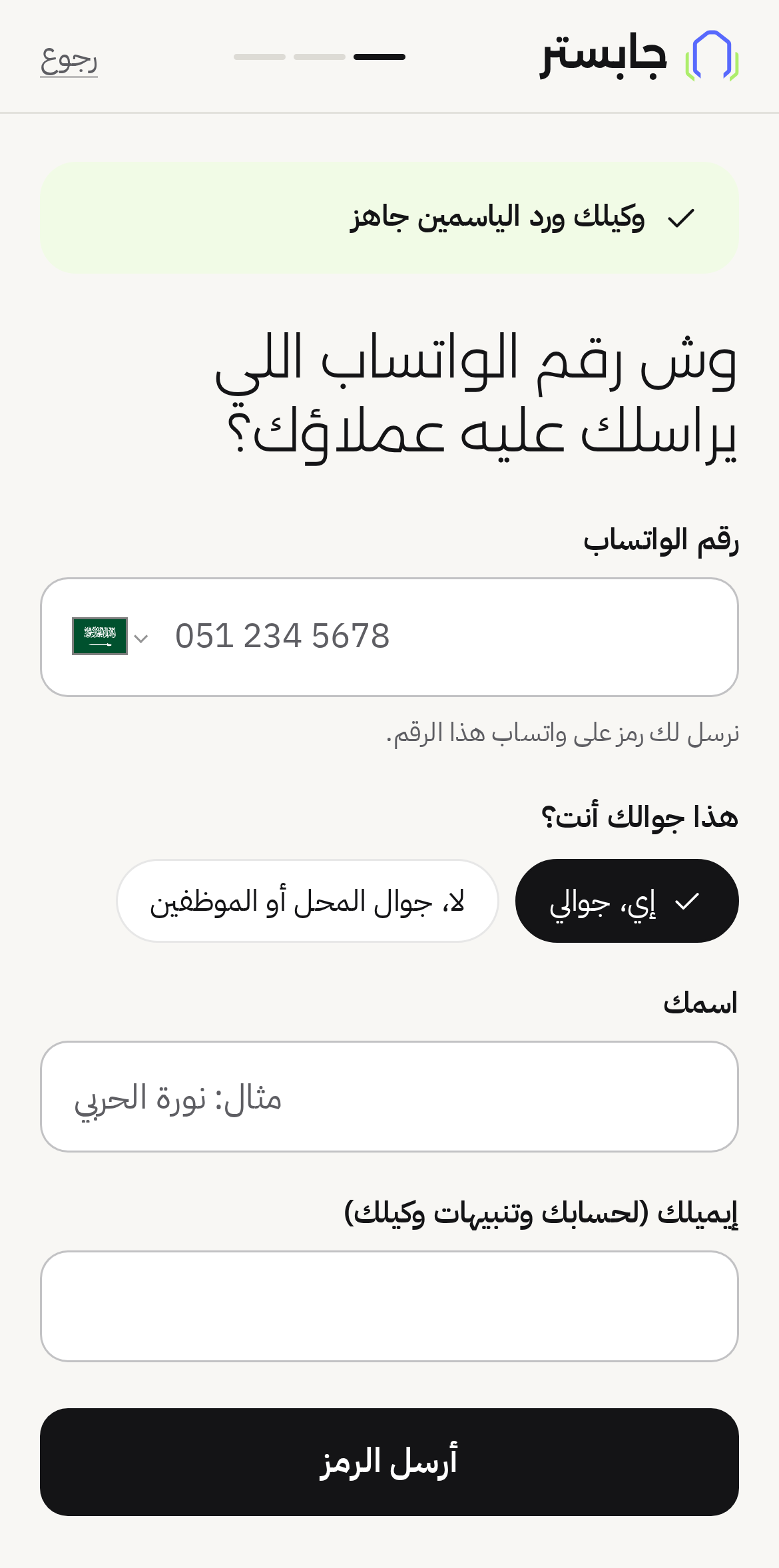
- على جهازك
اختر كيف تبدأ
ابدأ تجربة 7 أيام على باقة البداية، ووكيلك يرد على عملائك في الواتساب. تضيف بطاقتك، وما ينخصم شي إذا ألغيت قبل نهاية التجربة. أو كمّل على المجاني، وفيه وكيل واحد على شات موقعك بس. اضغط «كمّل على المجاني (دردشة الموقع)».
- على هاتفك
اربط قناتك
واتساب (في التجربة أو أي باقة): كمّل خطوة واتساب اللي تطلع لك، وكل شاشة فيها مشروحة في دليل ربط واتساب. وتقدر تكمّل تستخدم تطبيق واتساب الأعمال على جوالك.
- على جهازك
وكيلك شغّال
افتح لوحة التحكم على app.gabster.ai: معلومات وكيلك في «إعداد الوكيل»«قاعدة المعرفة»، وقنواته في «قنوات التواصل»، ومحادثات عملائك في «محادثة العميل».
جاهز تبني وكيلك؟
سجّل وابنِ وكيلك، وجرّبه بنفسك قبل ما تختار باقتك.
ابنِ وكيلك الحينعندك حساب؟ ادخل
الدليل التالي: شغّل شات موقعك مع جابسترتحتاج مساعدة؟ كلّم فريقنا